 Inkpad PDF
Edit PDFs without the subscription.
Change text, add notes, highlight, reorder and merge pages, export to Word. A fast, simple desktop editor for Mac and Windows. Pay once.
7-day free trial · no account needed · macOS 12+ and Windows 10+
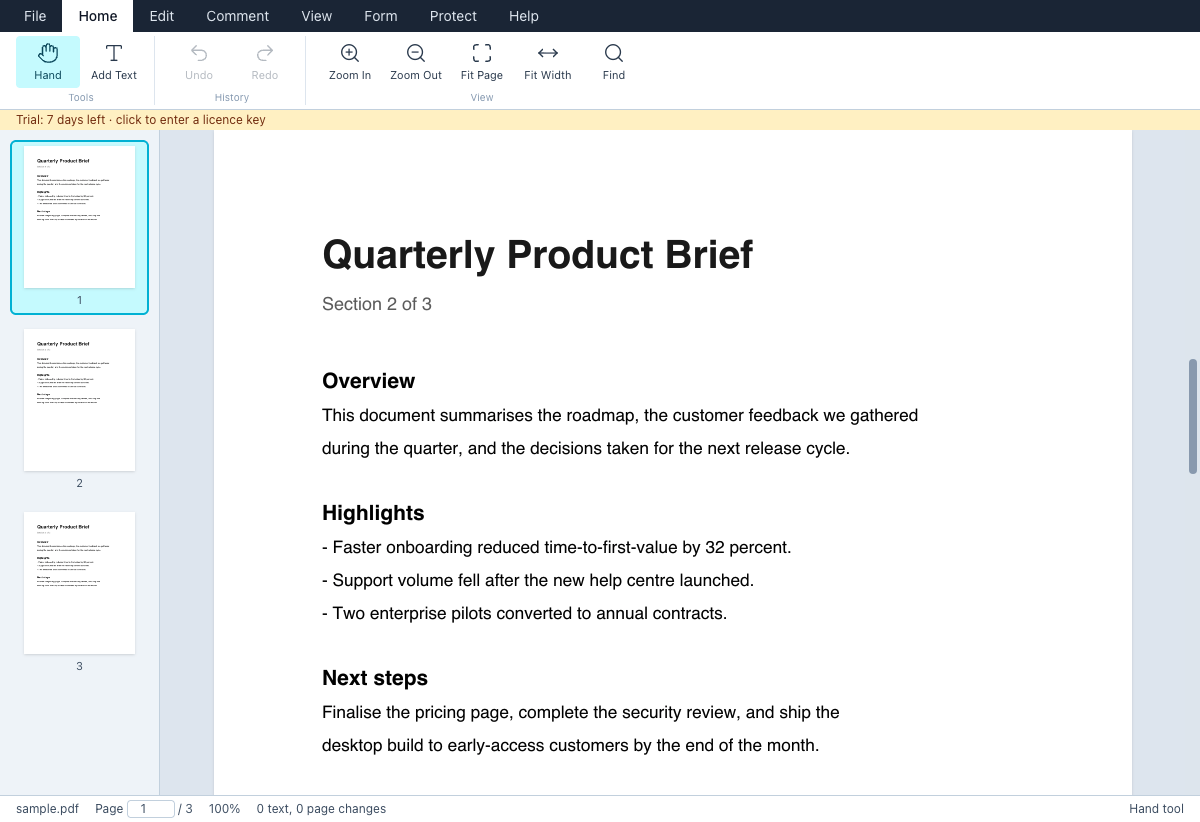
Everything you reach for daily. Nothing you don't.
Change existing text
Click any line, retype, done. Fix a typo in a contract or update a date without the original file.
Add text anywhere
Fill forms that aren't fillable. Pick size, colour and bold. Vietnamese and other accented text works.
Highlight, underline, strike
Drag across text to mark it. Marks are baked into the file, so every viewer shows them.
Organise pages
Rotate, reorder, delete, insert blank pages, and merge another PDF in. Thumbnail rail for long files.
Export to Word
Turn any PDF into a .docx that keeps the layout: every line editable, fonts, colours and images in place.
Find, print, save
⌘F search across pages. Save over the original or Save As. Print with your edits included.
Fast and private
Runs on your machine. Files never leave it. A 500-page PDF opens in a second.
One price. Yours forever.
- Mac and Windows, 2 computers
- All updates in version 1
- Licence key by email, instantly
- 30-day money-back guarantee
Secure checkout by Lemon Squeezy. VAT handled.
Download the free trial
Full app, 7 days. After that, viewing stays free; saving and printing need a key.
Version 1.0
Questions
Is this a subscription?
No. $29 once. Version 1 updates are free. A future version 2 will be a discounted upgrade, never forced.
Does edited text keep the original font?
Replaced text uses a clean built-in font (Noto Sans). For most documents it blends in; on a stylised heading you may notice the change. Font-matching editing is on the roadmap.
How good is the Word export?
It keeps the page layout: each line of text becomes an editable text frame in the right place, with font, size, colour and images. Good for changing words and sending on. It does not rebuild paragraphs or tables, so long edits that need text to reflow are better done in the PDF itself.
Where do my files go?
Nowhere. Inkpad PDF is a desktop app; it reads and writes files on your disk only. The licence check sends your key, nothing else.
Can I move my licence to a new computer?
Yes. File › Licence › Deactivate this computer, then activate on the new one. Two active computers per key.
Refunds?
30 days, no questions. Reply to your receipt email.
macOS says the app is damaged or from an unidentified developer.
Right-click the app, choose Open, then Open again. Signed builds are coming.